Contents
Introduction
Compatible with AXM and AXS Series
The AXC-2001 is a compact, plug-and-play adapter that wirelessly links Airtecs AXS and AXM Series Smart OBM systems to approved third-party telematics devices. Using Bluetooth 5.3, it automatically pairs with truck gauges and forwards real-time axle weights and Gross Combination Mass (GCM) data via the M8 RS-232 connector to telematics devices such as Teletrac Navman, MT Data, BlackBox, and Netstar.
Designed for seamless integration, the adapter enables fleet operators, logistics teams, and compliance managers to access live and historical weight data remotely—boosting visibility, efficiency, and compliance with mass management regulations.
Built for reliability, the AXC-2001 features secure wireless connectivity, broad telematics compatibility, and fast, straightforward installation. Proudly Australian-designed and manufactured, it saves time and cost by simplifying the connection between Airtec SmartOBM systems and your telematics service provider.

Specifications
Electrical
Voltage
7 - 32VDC
Power
Protection
Typical Average 100 mA @12V DC
Reverse and Over Voltage Protection
Mechanical
Materials
ABS Plastic
Power
Protection
71Lx68Wx33H mm
Red/Green LED Indicator
Environmental
Operating Temperature
-40 to + 85°C
Dust and Water Resistance
IP65
Communication
Wireless
Bluetooth 5.3
Wired
RS232
Installation & Mounting
Installation must be carried out by an authorised technician
Wiring
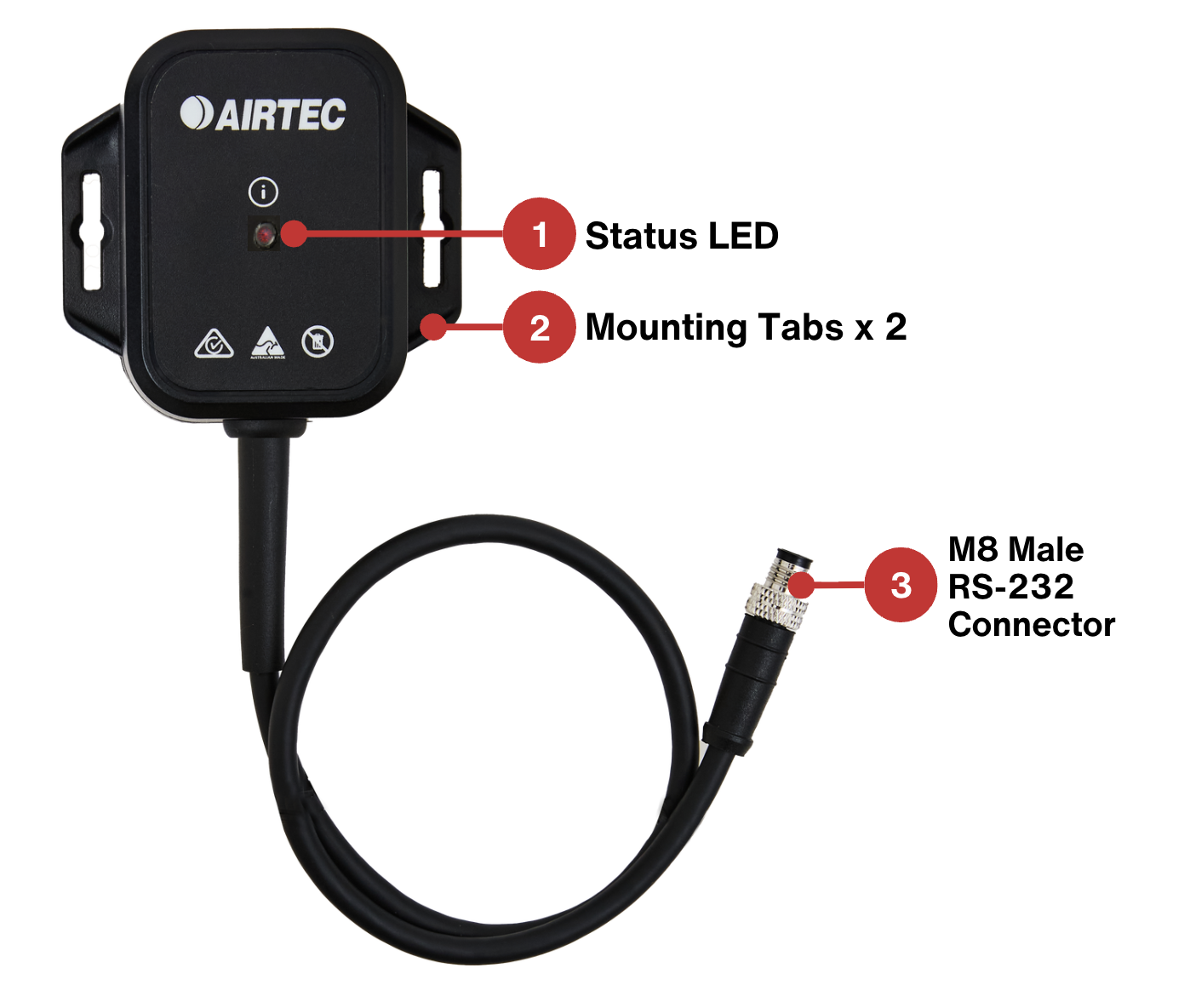
The AXC-2001 has a 40 centimetre power and RS-232 communications cable. See Integration Section for telematics specific wiring.
Installation
- Access the telematics device. This may require removal of the dashboard trim or overhead compartment panel.
- Connect the AXC-2001 to the telematics box with the required cable connection (See Integration Section)
- Secure the AXC-2001 close to the telematics box but away from antennas using screws or cable ties on the mounting tabs or double sided tape.
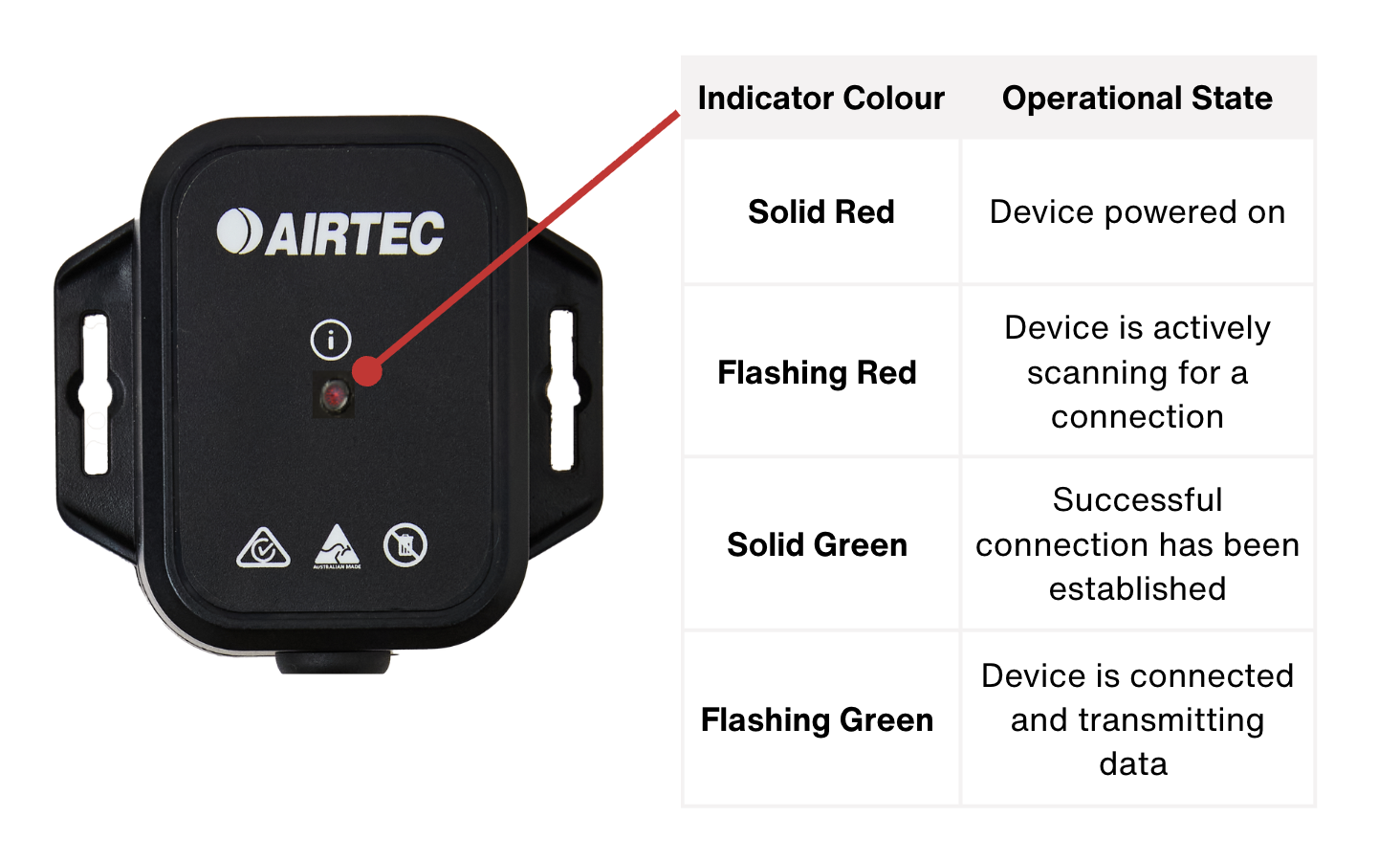
- Check the LED status indicator is flashing green to show it is connected the the truck scale and transmitting data to the telematics unit (See Operation Section)
- Reattach dashboard trim or overhead compartment panel if required.
Operation
When the AXC-2001 Bluetooth RS-232 Adapter is powered on, it will automatically search for the nearest truck scale to pair with. Once connected, the telematics device will begin receiving data from the paired truck scale.
Status Indicator
The AXC-2001 features an LED status indicator with distinct colour patterns for each operational state:
Teletrac Navman Integration

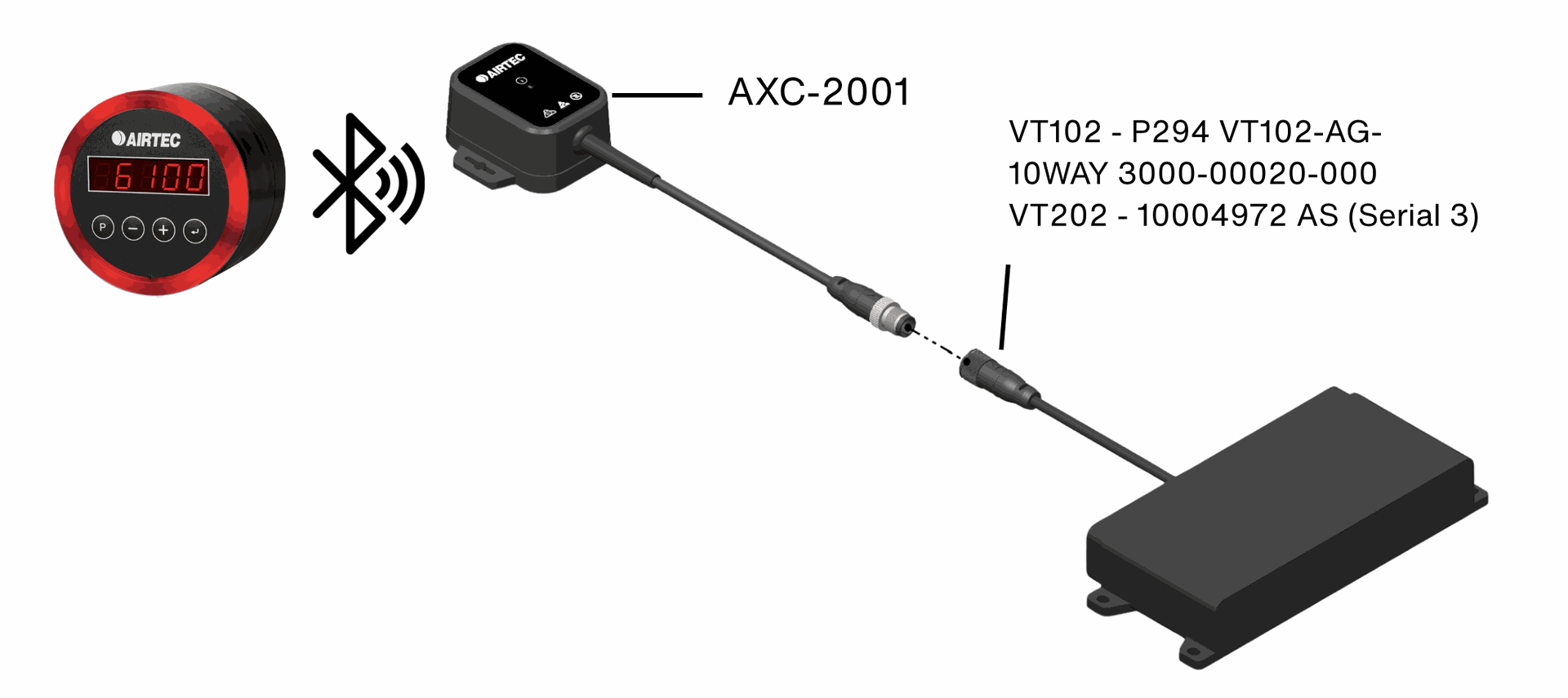
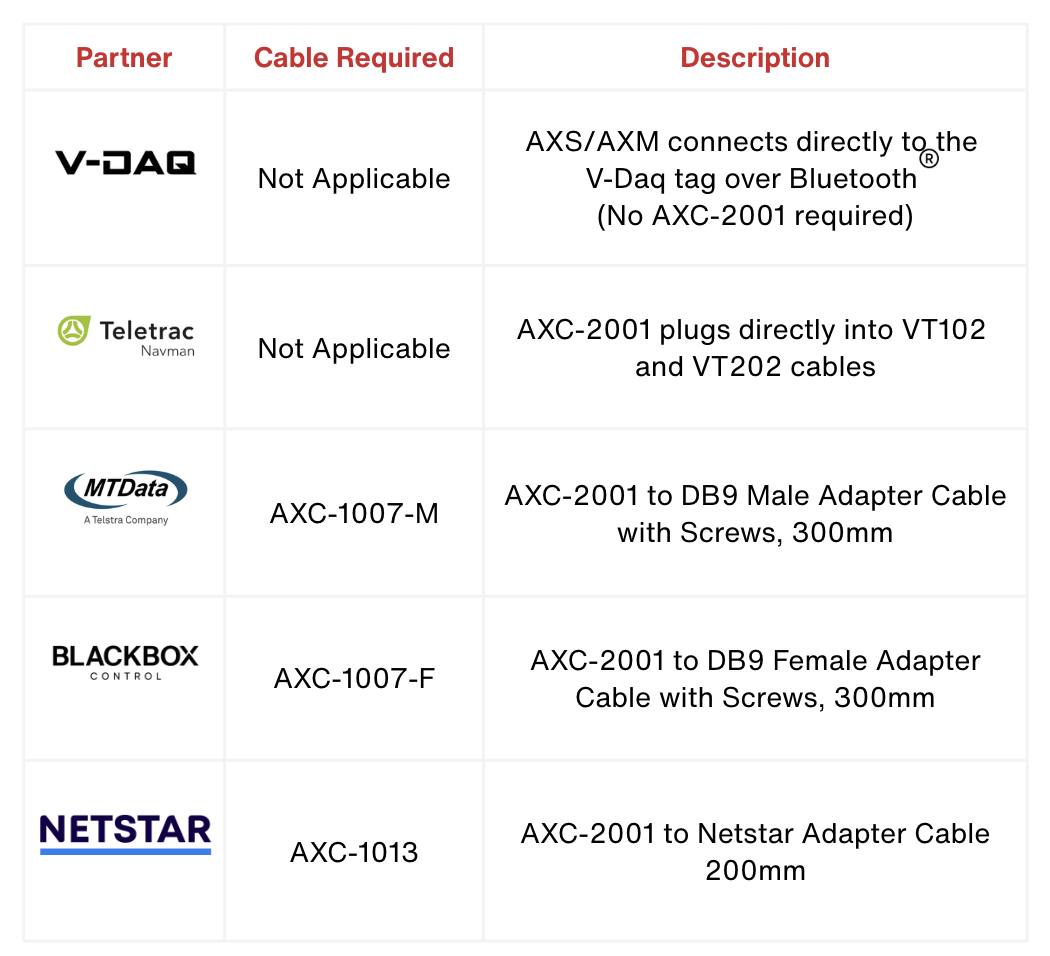
The AXC-2001 Bluetoothadapter wirelessly connects AXS data to Teletrac Navman’s VT102. It pairs with the AXS unit flashes when sending data. Installation may require temporary dash removal to access the VT102 or VT202.
MT Data Integration

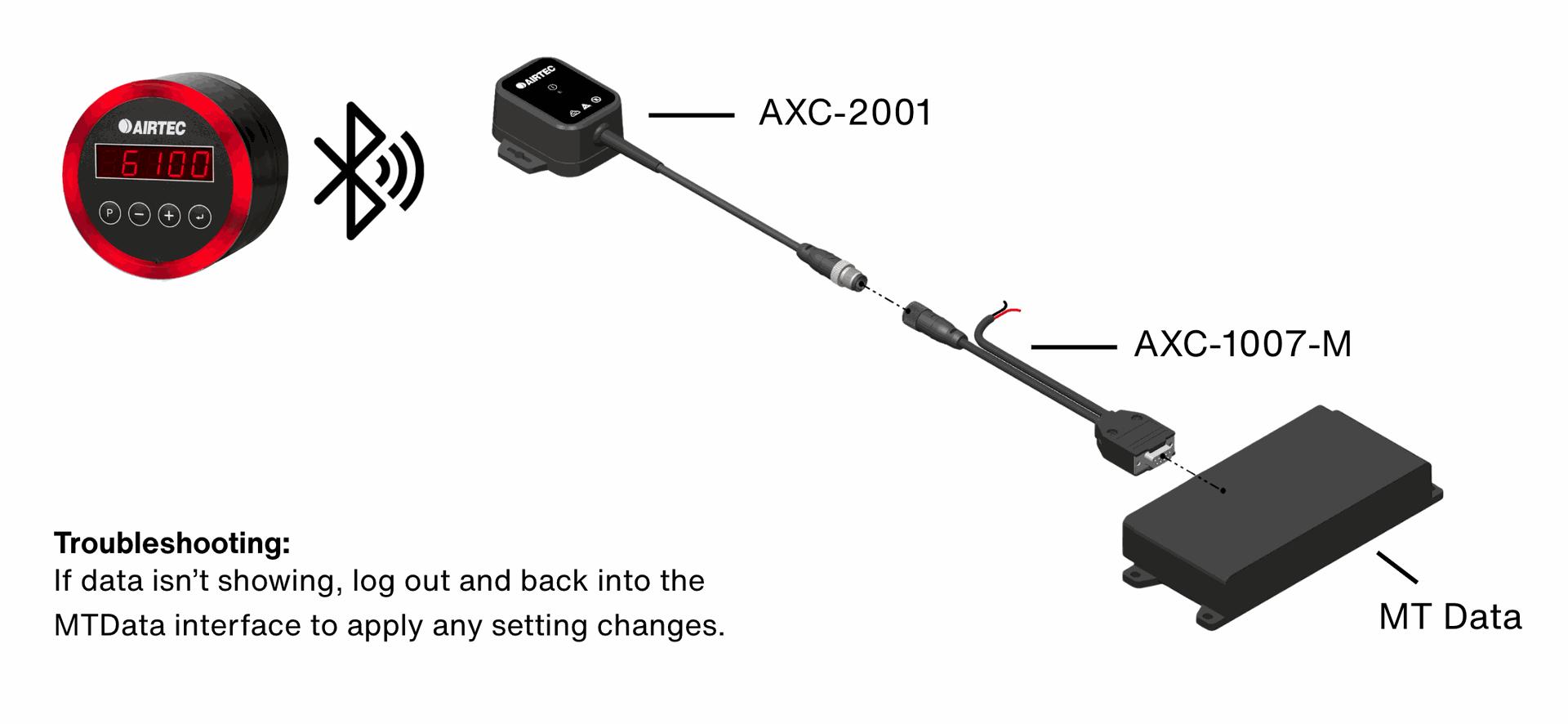
The AXC-2001 Bluetoothadapter wirelessly sends AXS data to the MTData unit via a DB9 cable (AXC-1007-M). It flashes during data transmission. Installation may require temporary dash removal.
BlackBox Integration

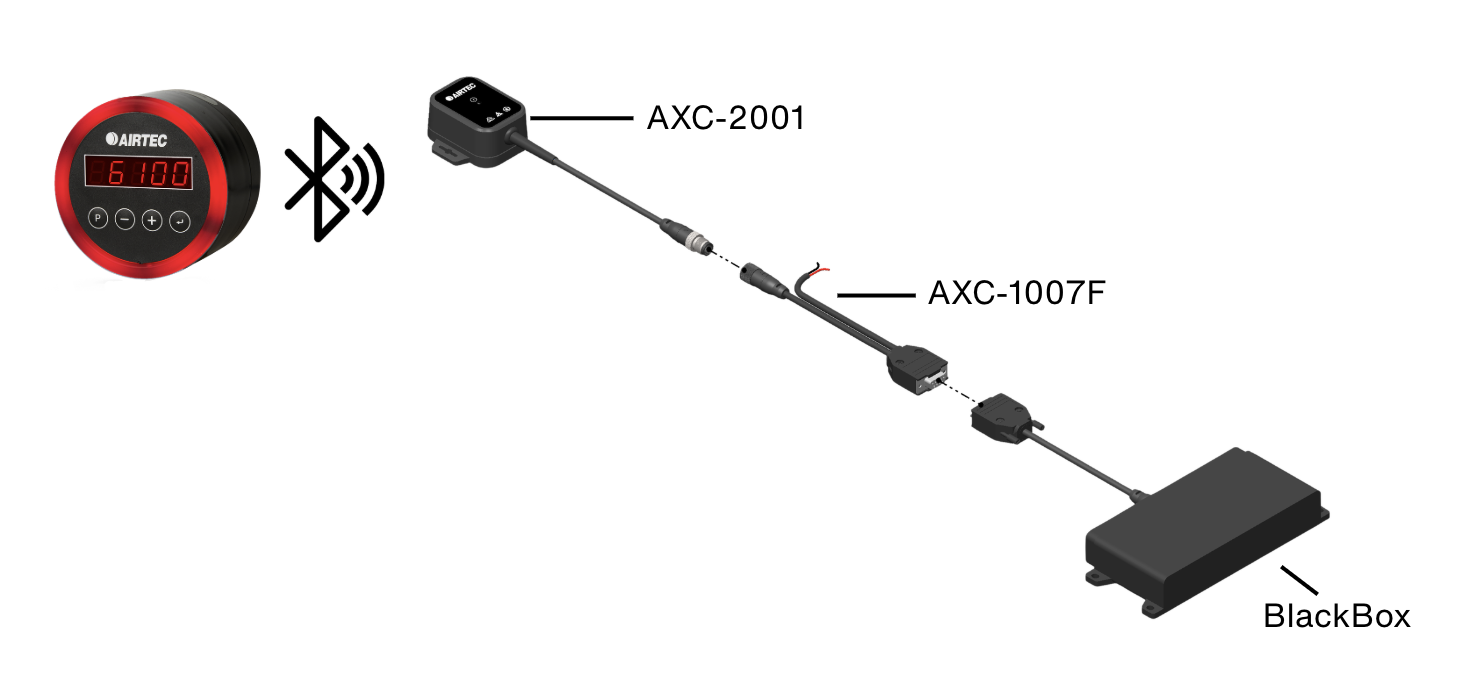
The AXC-2001 Bluetoothadapter wirelessly connects AXS data to Blackbox via a DB9 cable (AXC-1007-F). It pairs with the AXS unit and flashes when transmitting data. Installation may require temporary dash removal to access the Blackbox device.
Netstar Integration

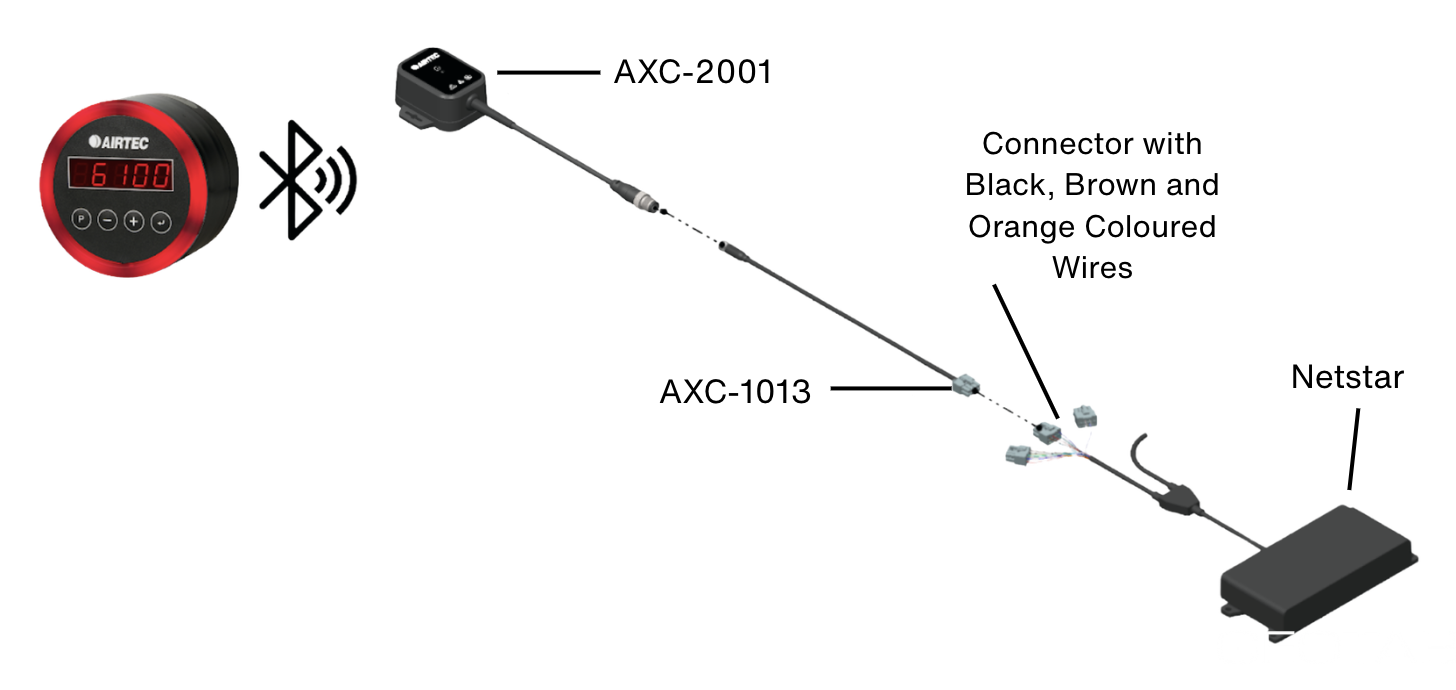
The AXC-2001 Bluetoothadapter wirelessly links the AXS unit to Netstar telematics, transmitting data via the AXC-2001 to RS232 (AXC-1013) cable. The adapter flashes during data transmission.
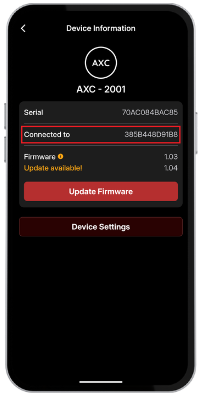
Checking Connection in SmartOBM App
- Tap the filter icon, select AXC, then tap Filter again.
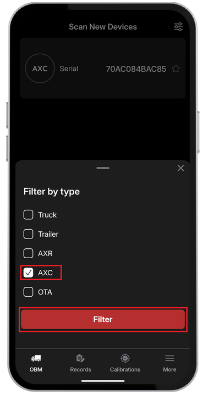
- Tap the device and confirm Connected to matches the AXS on your truck.