
AXS - Scan Mode Settings
Contents
The AXS scan mode can be configured to one of three options:
- Off
- Manual Scan
- Auto Scan
Manual Scan Mode (On): Requires the operator to manually scan the truck/trailer combination
Auto Scan Mode: Automatically scans the truck/trailer combination each time it is powered on.
Automatically scans for trailer gauges after holding the [↲] (Enter) button on the truck scale - Replace?
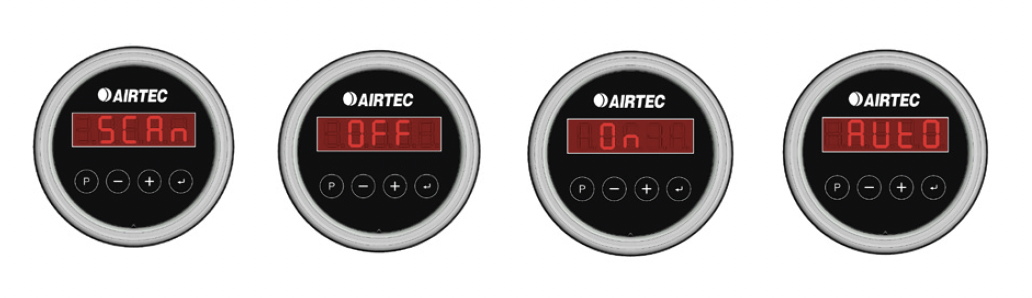
Set the Scan Mode
Hold the [P] button for 2 seconds.
Press [P] to access the Scan Mode setting.
Press [P] again to display the current scan mode
Use the [+] and [-] buttons to select the desired mode:
- Off
- On (Manual Mode)
- Auto
Press the [↲] (Enter) button to confirm your selection.
Note: All AXS scales within a combination must be configured to the same scan mode.
Manually Scan Scales
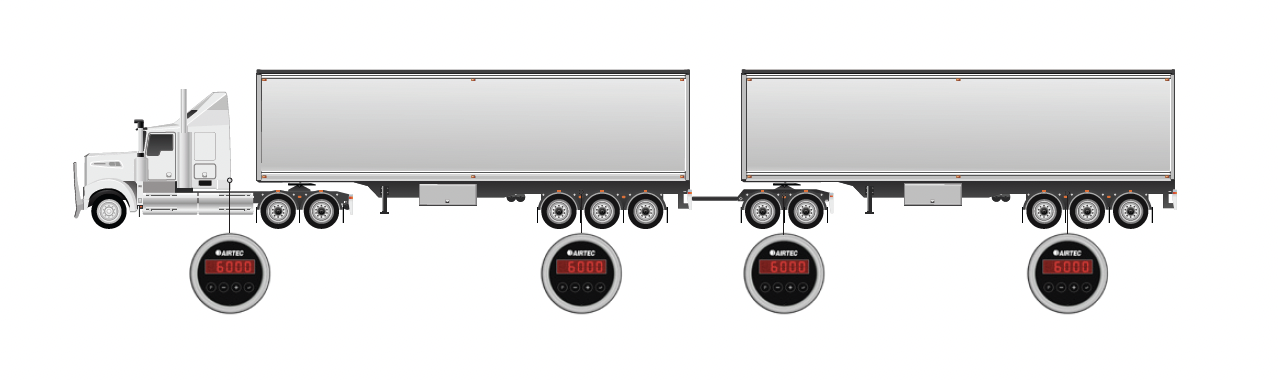
- Ensure the Airtec AXS Scales are set to Manual Scan mode (On).
- Press and hold the [↲] (Enter) button on the AXS Truck Scale until the unit is flashing the word SCAN. Note: All the trailer scales in range will flash and show SCAN.
- Press the [↲] (Enter) button on each trailer unit in order of your trailers. First trailer 1, then trailer 2 (SCAN stops flashing on the screen).
- To finish the pairing process press the enter button on the AXS Truck Scale - it will stop showing SCAN.
Automatically Scan Scales
- Ensure all of the Airtec AXS Scales are set to Auto Scan mode (Auto).
- Press and hold the [↲] (Enter) button on the AXS Truck Scale until the unit is flashing the word SCAN/Auto.
- After 30 seconds, the combination will automatically pair with the AXS Truck Scale, ordering the devices based on their distance from the prime mover.
- Holding the [↲] (Enter) button will rescan the combination when swapping trailers or if the initial scan was unsuccessful.