App - Net Weights
Net Weights let you view the true payload of the vehicle by removing the truck’s own weight from the displayed totals.
Enabling Net Weights
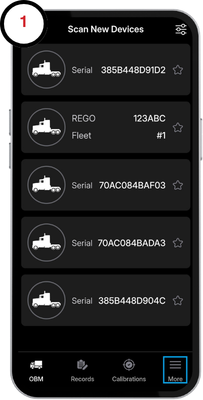
1. Tap the More tab in the bottom right corner.
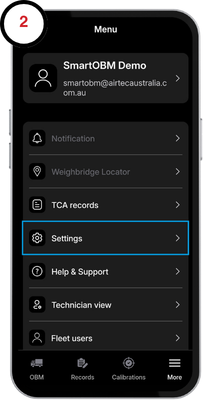
2. Select the Settings tile.
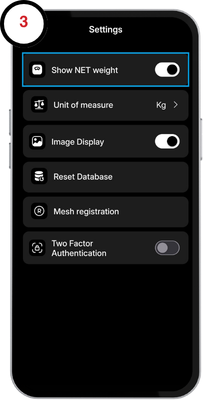
3. Click on the "Show NET Weight" slider to enable net weights on the OBM screen.
Setting the Tare Weight
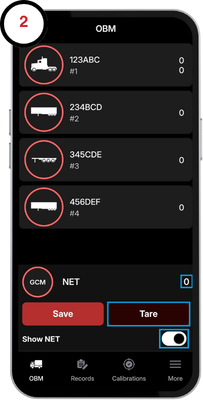
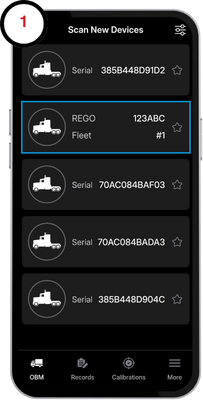
1. Navigate back to the scan page and select your prime mover device.
2. On the OBM screen, tap the slider at the bottom to show the net weights. Ensure the vehicle is empty and tap on the Tare button to zero the weight of your truck. You can freely switch between net weights and gross weights by using the same slider.