App - Favourite Feature
The favourite feature in the SmartOBM app allows you to easily find your device in a yard of trucks.
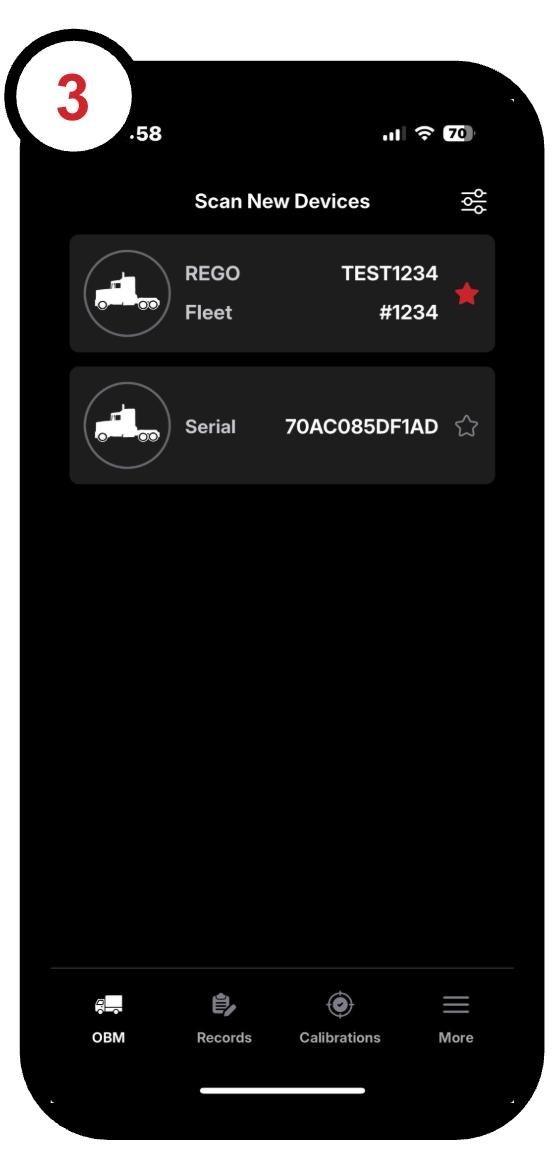
1. Open the SmartOBM app on your mobile device. After a brief scan, a list of available trucks will appear:
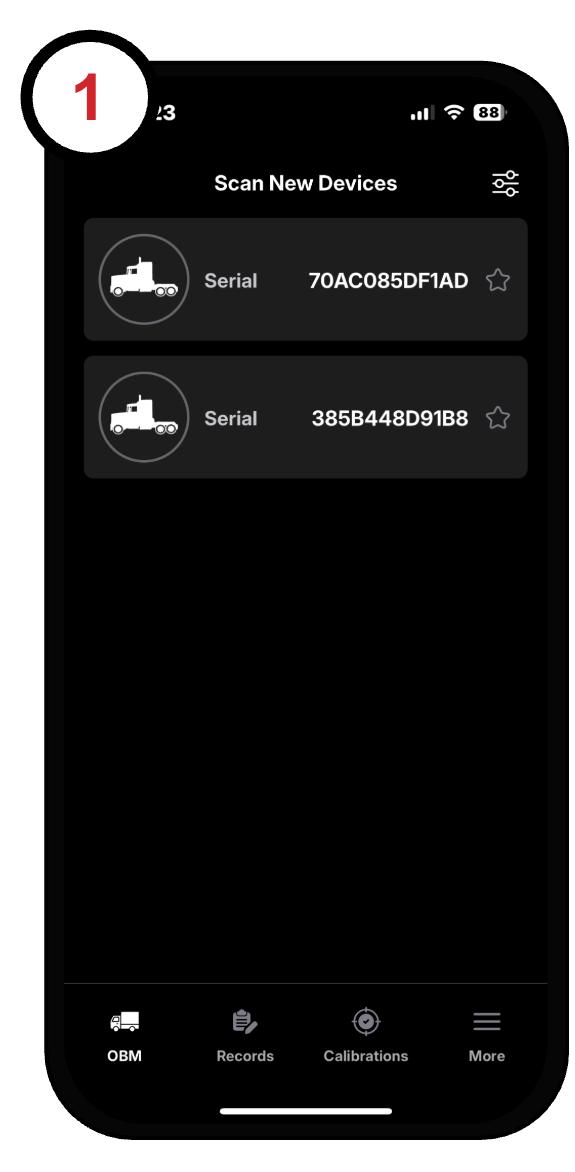
2. Find your device and tap the star icon in the top-right corner of its tile to mark it as a favourite:
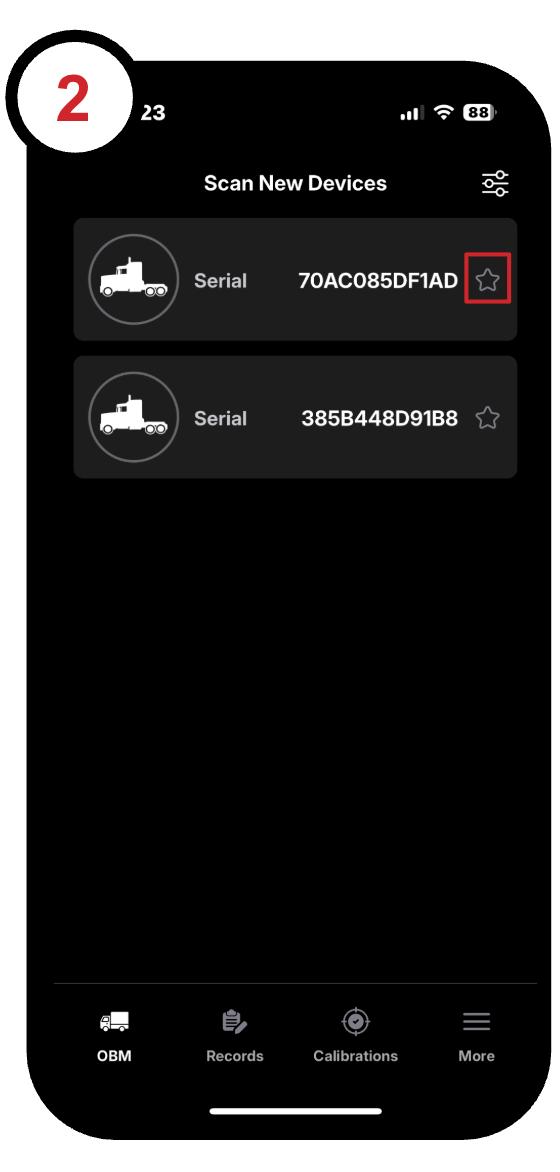
3. Once favourited, your device will always appear at the top of the list when you open the app. This makes it easy to find without scrolling through multiple devices: