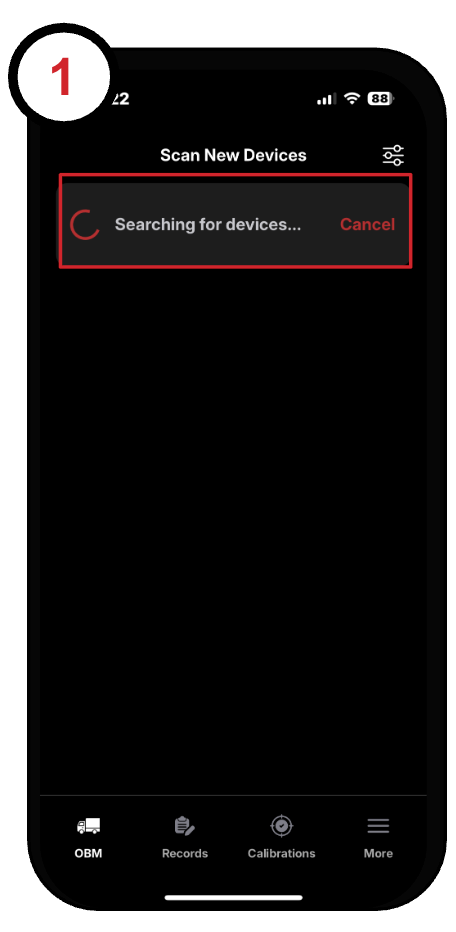
App - View & Save Weights
1. Open the SmartOBM app on your mobile device:
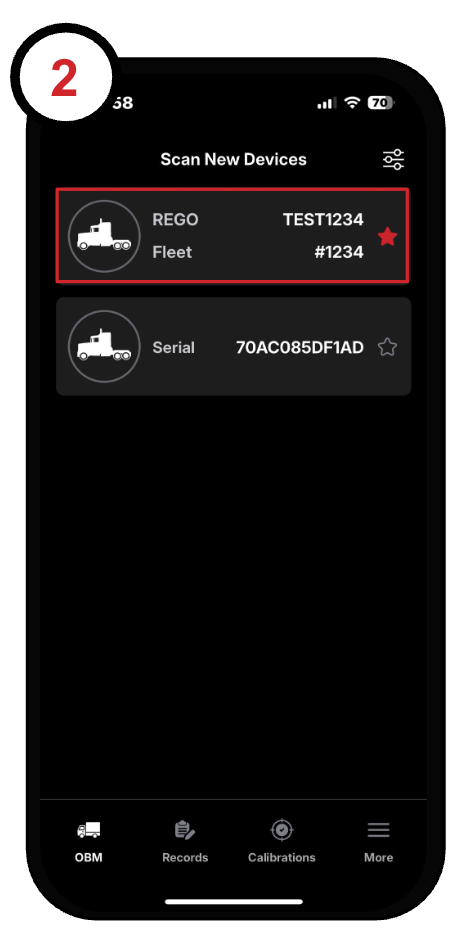
2. After a brief scan, a list of available trucks will appear.
Tap on the truck in your combination to open the OBM page:
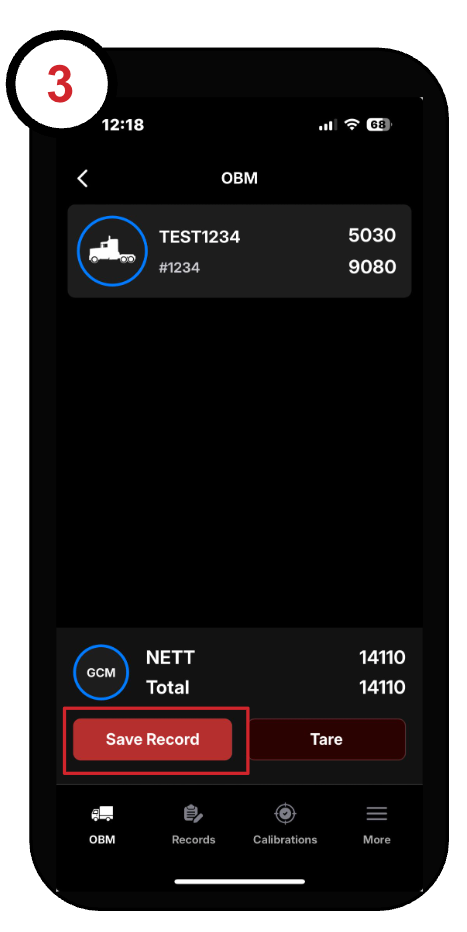
3. The OBM page displays the weights for each axle group in your combination.
To save a record of the current weights, tap the save record button. This will record your weights, location, date, and time:
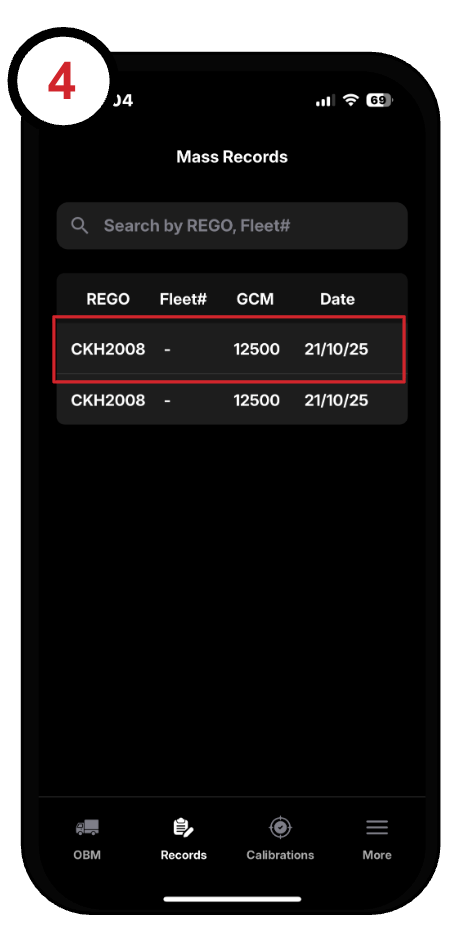
4. To view this record, tap on the "Records" tab.
The most recently saved record will appear at the top of the list:
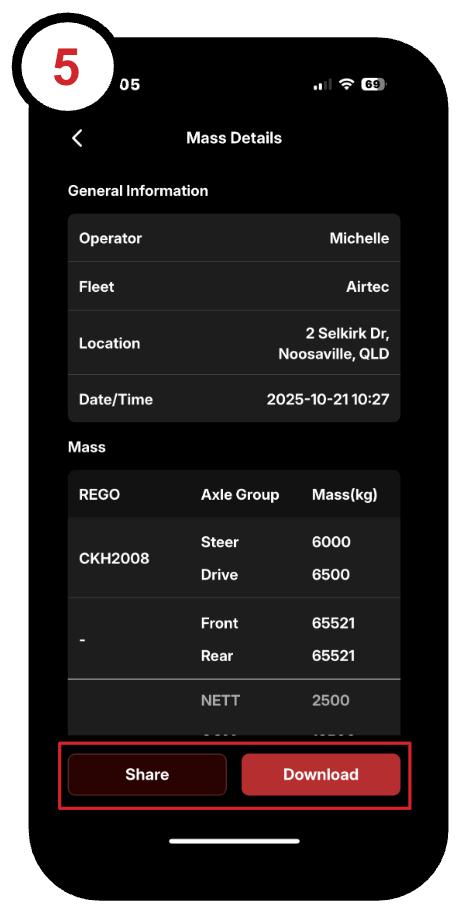
5. To download or share the record tap on the record and choose either download or share:
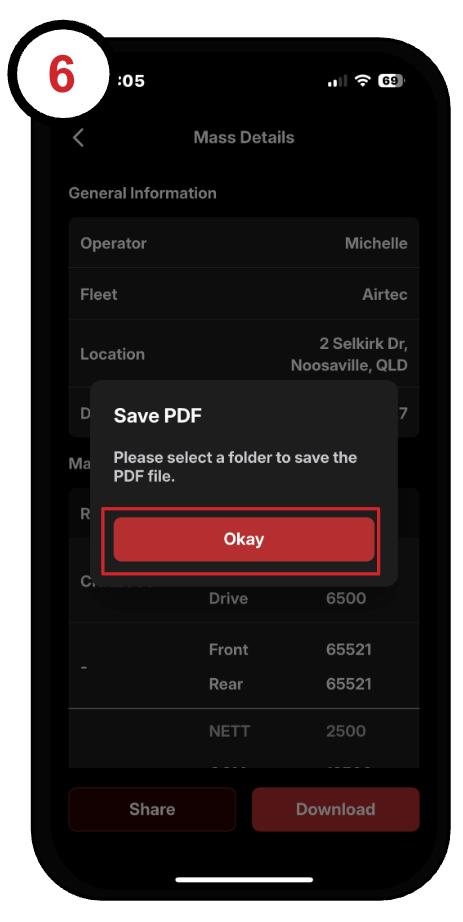
6. Tap the Okay button and select a folder to save the record in.
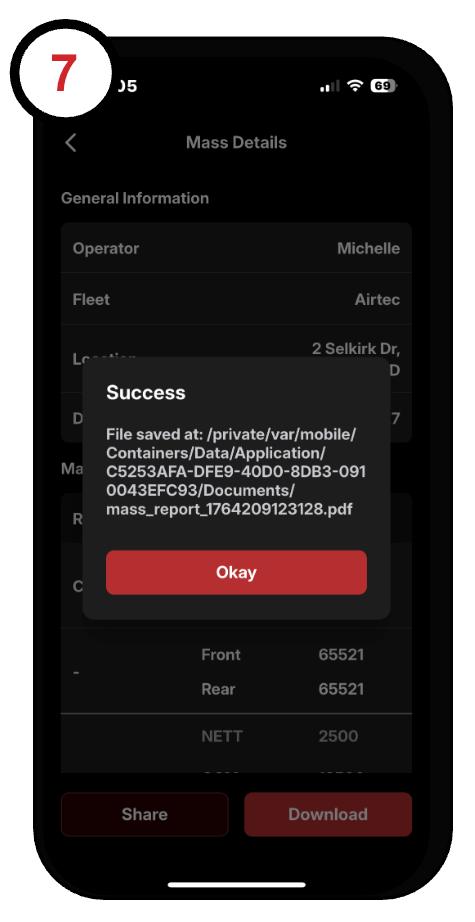
7. Okay on success message: