App - Registration and Fleet Number
The SmartOBM App lets you assign a vehicle’s registration and fleet number to a device, replacing the need to use the device’s serial number.
To update these details:
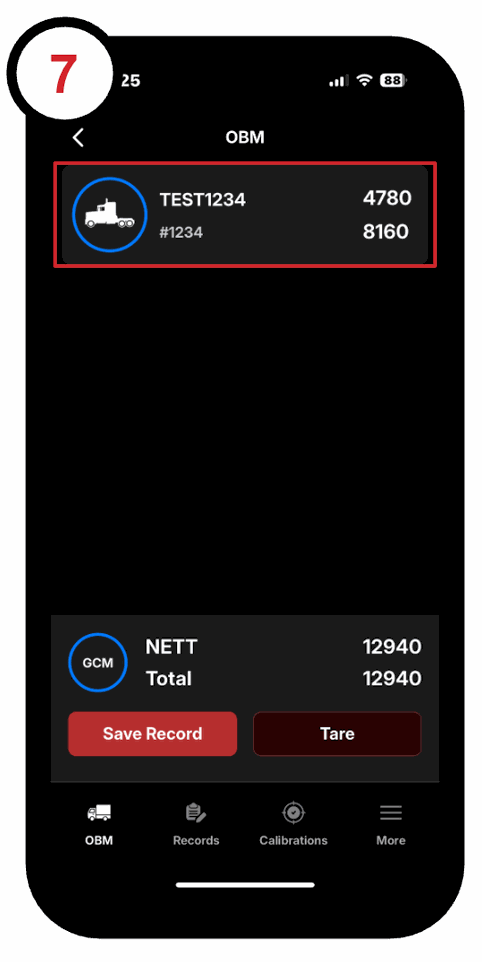
1.Open the app and choose the device you want to update:
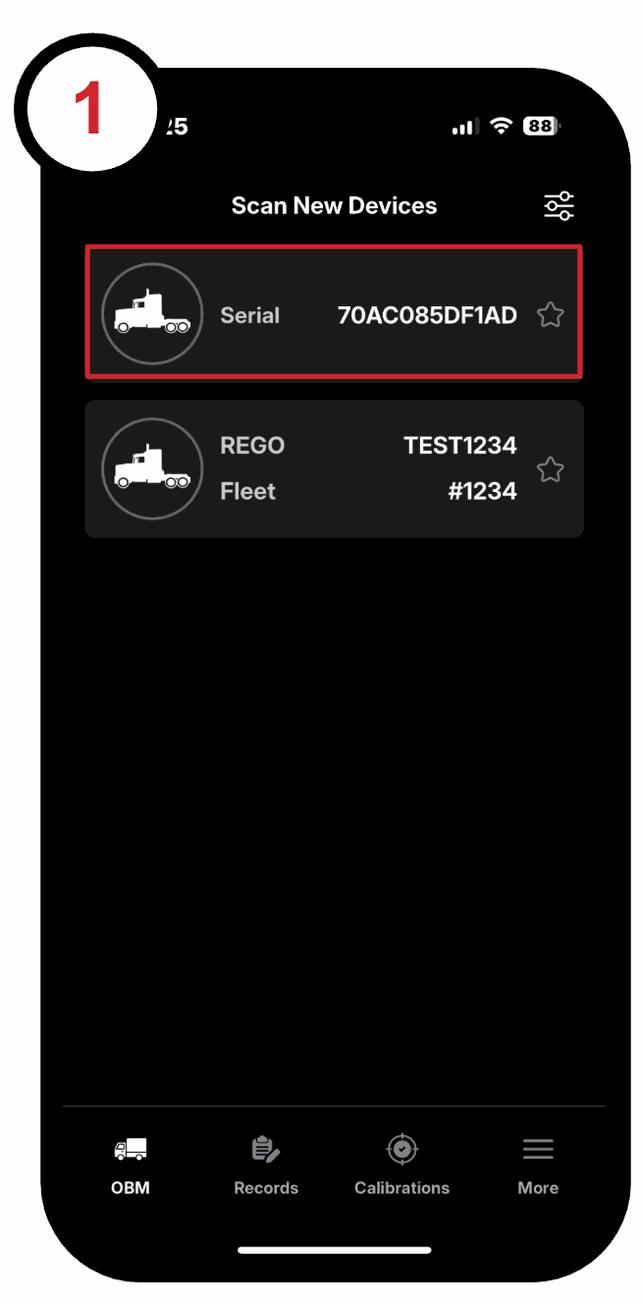
2. Tap the asset again to open the Vehicle Info screen:
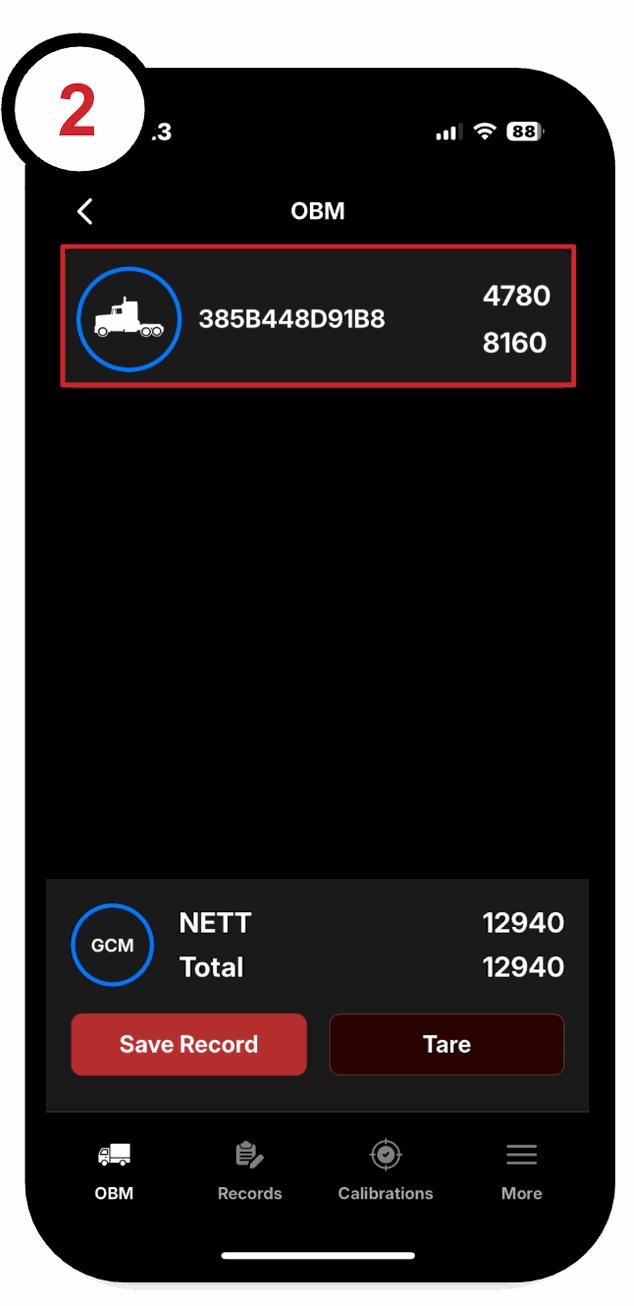
3. Select the Rego and/or Fleet Number fields to edit them:
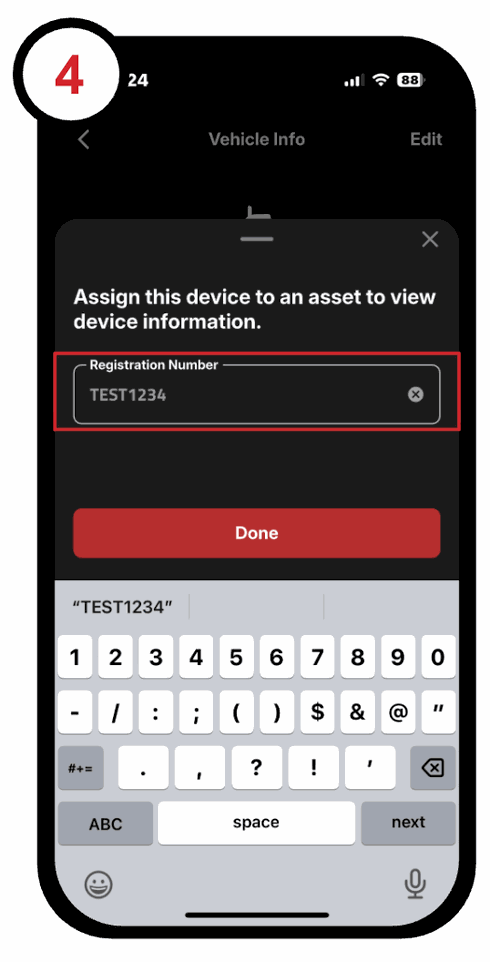
4. Enter the vehicle’s registration number and tap "Done":
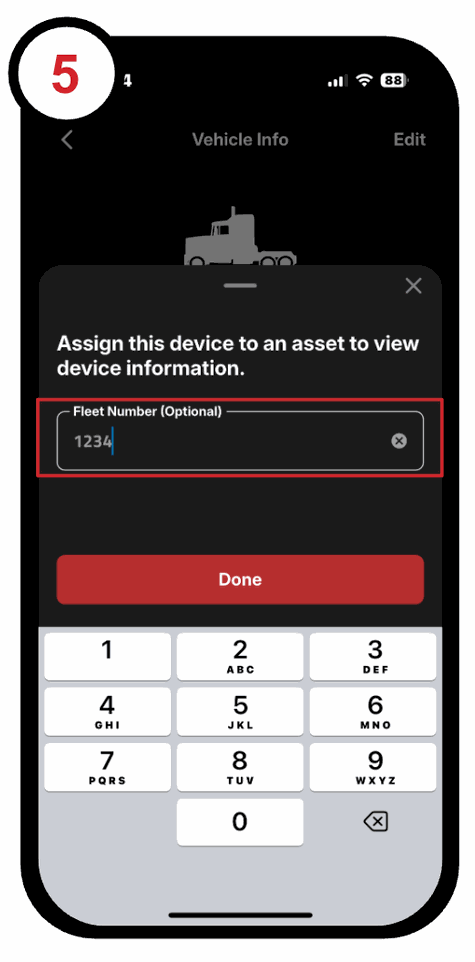
5. Repeat for the fleet number if needed:
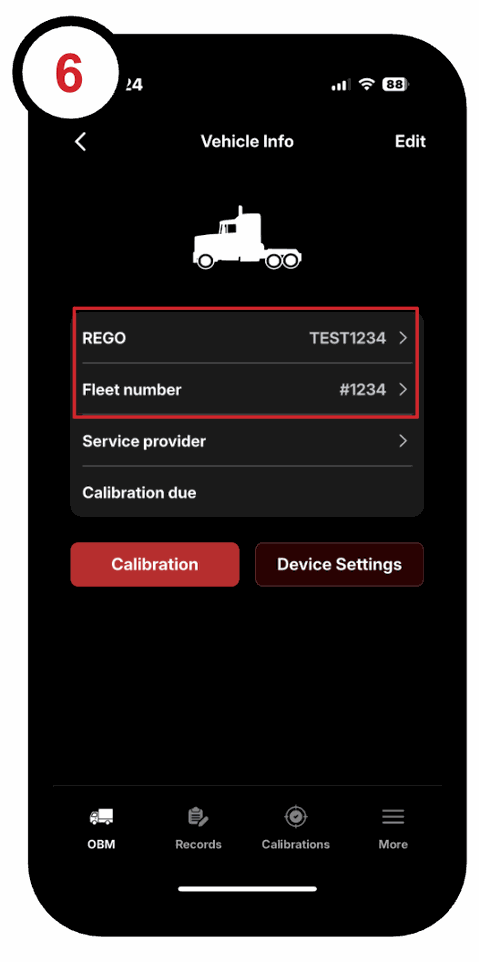
6. On the Vehicle Info screen check that the fields have updated:
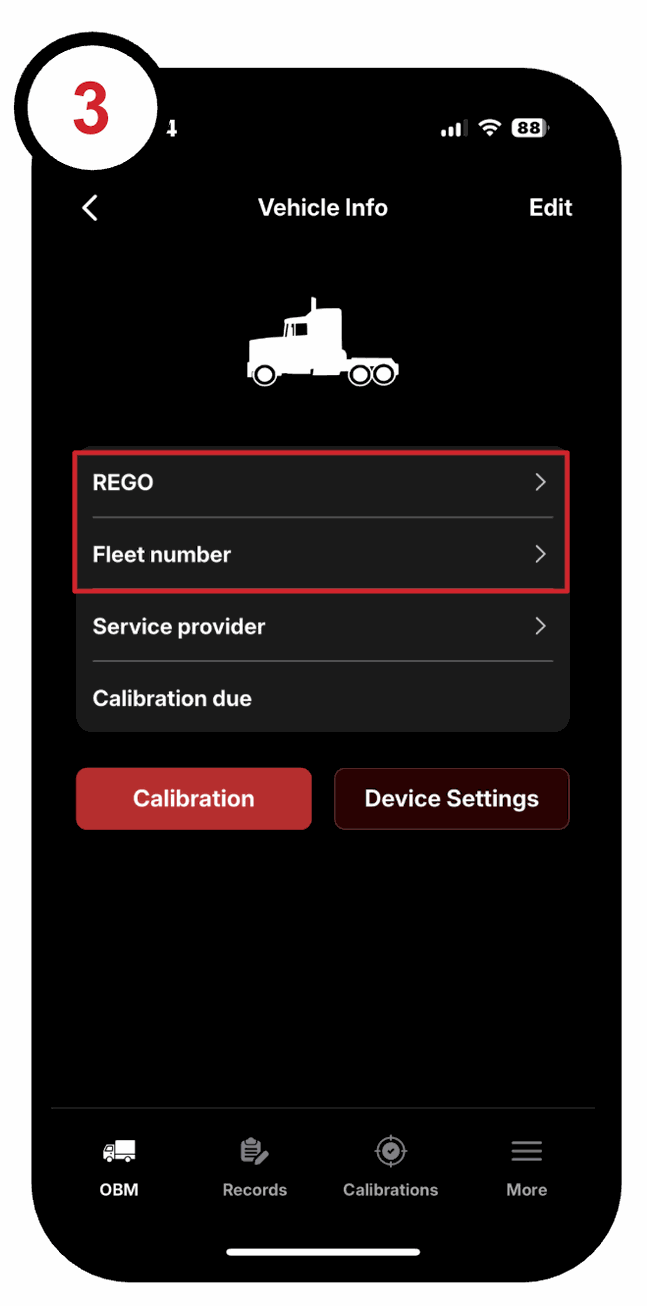
7. Use the back arrow in the top-left corner to return to the OBM screen you should now see that the asset is now labelled with this its REGO and/or Fleet number: