
App - Device Calibration
Fleet Admins and Fleet Managers can now calibrate AXS devices directly through the app, making it easier to maintain accurate mass readings and keep vehicles compliant. TCA-approved Smart OBM systems require calibration before initial use and re-calibration every 6 months to remain compliant with NHVR and TCA requirements. Calibration records should also be maintained for audit and compliance purposes.
1. Drive over a weighbridge one axle group at a time either wh ile empty or loaded.
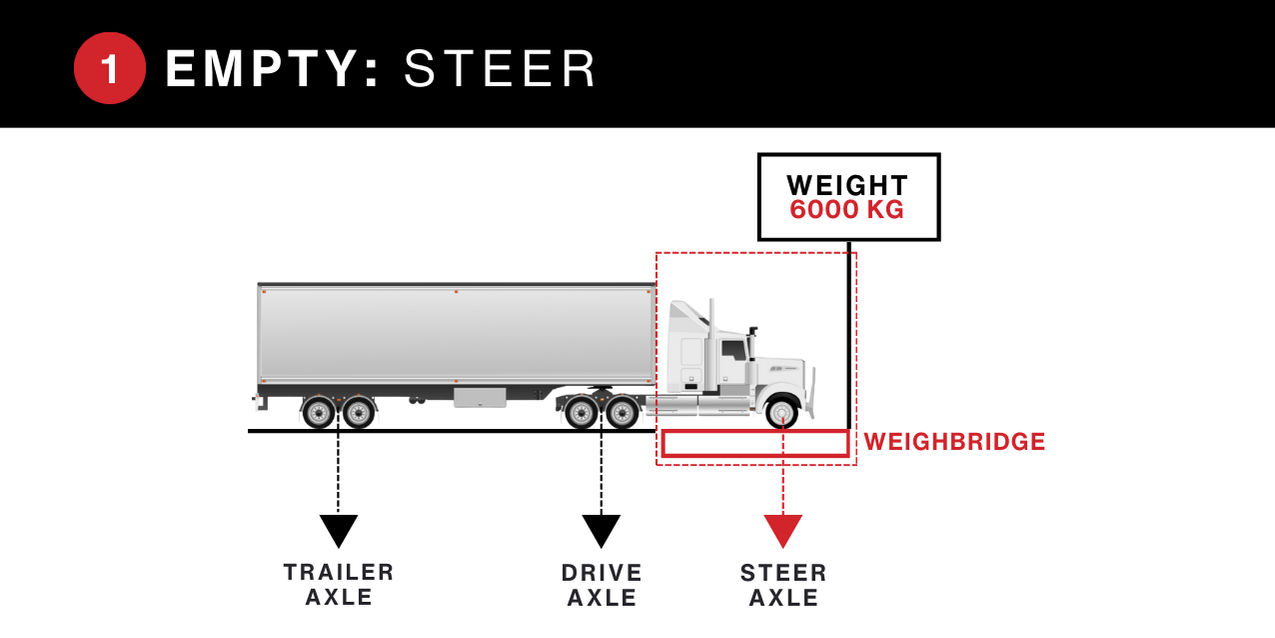
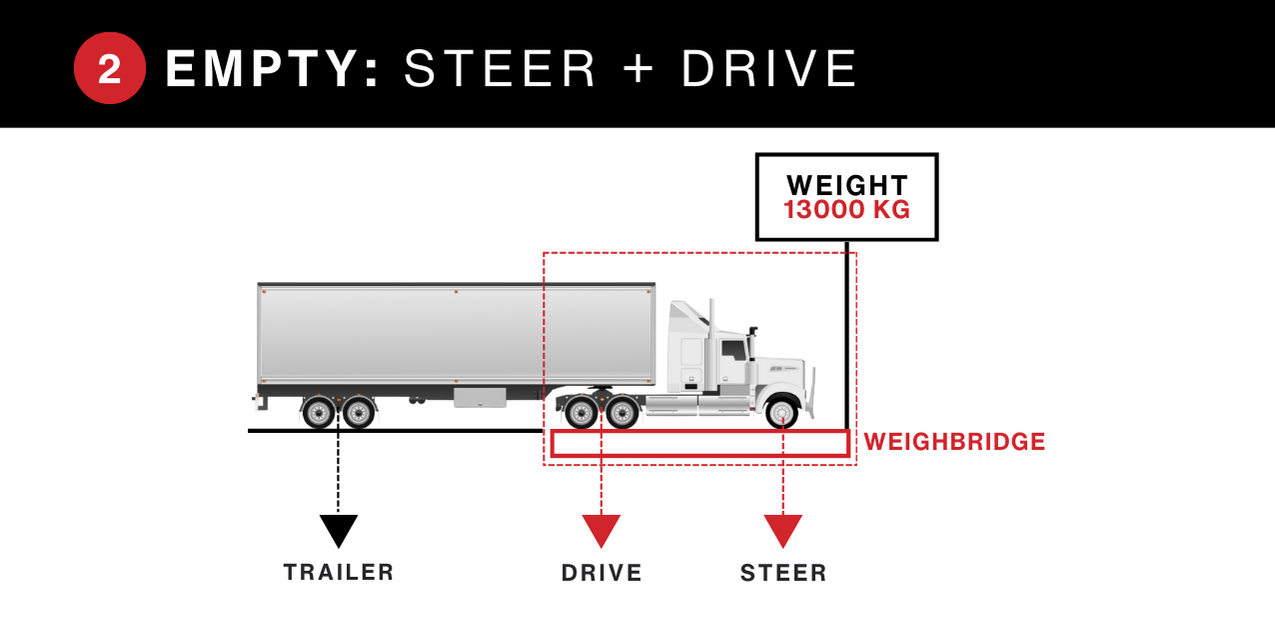

2. Record the weights displayed on the weighbridge and drive off to a flat location and disengage the parking brake. Ensure the vehicle is still powered on.
3. Open the SmartOBM app on a mobile device and select your vehicle from the scanning page
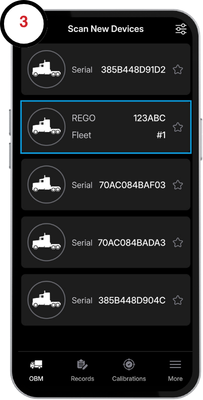
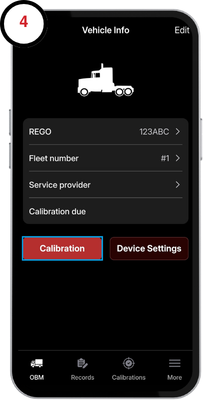
4. Tap the asset that requires calibration to open the Vehicle Info page, then select Calibration to begin.
5. Select the state and type of calibration you are performing and enter the weights gathered from the weighbridge for each axle group. Use the calibrate combination slider if required.
Note: For older AXM/AXL series devices, simply match your physical scale weights to the app manually to verify the data.
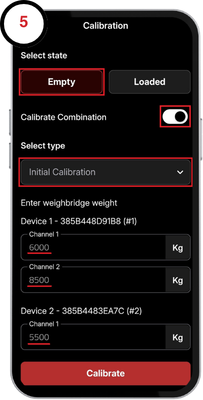
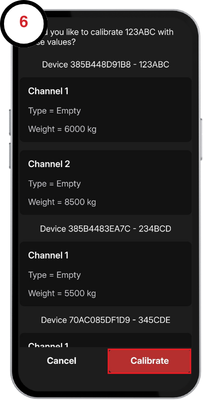
6. Tap calibrate and confirm the calibration.
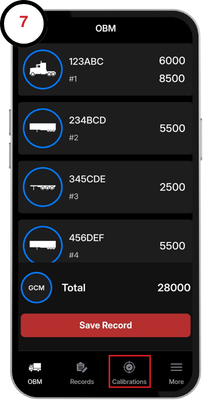
7. Your asset/s are now compliant and a record of your calibration can be found in the calibraton tab which may be downloaded and shared in PDF form.
8. Repeat all previous steps with the vehicle in the remaining state (empty or loaded)