
App - Change Configuration
Fleet Admins and Fleet Managers can now change the configuration of any AXS device directly through the app. This allows devices to be quickly reconfigured when replacing gauges, swapping trailers, changing setups and removing the need for a technician.
How to change configuration
1. From the Scan New Devices screen, tap on the device you would like to change the configuration for.
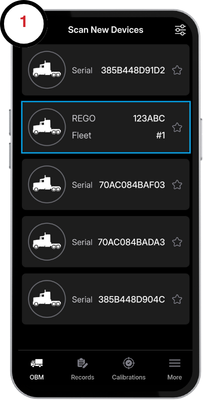
2. Tap on the device once again on the OBM page to display vehicle info.
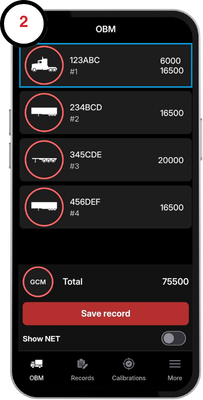
3. Select the the device settings button.
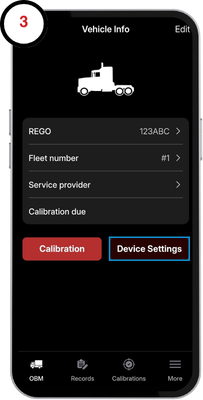
4. Here you can find details about your device. Tap on the cofiguration tile to view a selection of configurations.
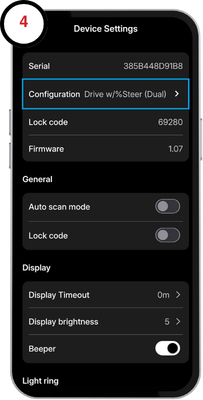
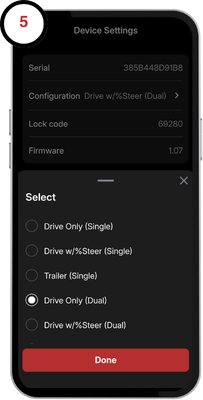
5. Select the desired configuration.
WARNING: Changing the configuration will reset the calibration and take all settings back to factory.